Openwrt
This is not a tutorial, but you can use my experience as reference and some querying to find your path.
Introduction
The router is an essential part of a home lab and was the first component when I started to set up mine.
The story begins with my wife asking me to install WIFI cameras in our house. Me being me, I started to plan a network isolated from the internet and maybe ZoneMinder installed on a local server (I had a previous experience with it, but now I prefer Frigate better, but that's a story for another time).
I already understand a little about networking (OSI model, TCP IP…). Maybe more than a little, I studied telecommunications after all. Then, I knew that what we needed was a VLAN for the IP cameras and maybe some kind of a firewall. I knew that, but not about how to set this up.
Then, I searched for tutorials about custom router firmwares so maybe I can flash one of them on my existing router to add VLAN support, which is an all-in-one router (TP-Link Archer AX3000). After some digging, I found out that it is almost impossible, but it was to be expected because at the time I bought that router, it was only for the Wi-Fi 6 support with no other research. But I expected better support for it because it is implemented with an Intel SoC, but it turns out that Intel SoCs on routers are the worst for custom flashing. At this point I already knew that OpenWRT was enough for my requirements. I read and watched a bunch of tutorials on setting VLANs on Wi-Fi.
I always try to be cheap on experiments (at least on the beginning, until I learn what I really need), so I started a search for the cheapest OpenWRT compatible router. I read a lot about the problem with all-in-one routers being that they are very limited on flash storage, but I decided to buy the cheapest that I could find at the moment to try.
After some digging. I found out about this Cudy brand that has some all-in-one routers with out of-the-box support of OpenWRT by the manufacturer (they even host the images). An used Cudy WR3000 was on sale on eBay, so I bought it immediately.
At the moment, the only requirement was VLAN, so I ignored the fact that I only had 16 MB of flash.

The flashing of OpenWRT was pretty straightforward. No sketchy pin soldering was involved. It was just like flashing an update of the manufacturer's firmware.
Finally having our VLANs on de WLAN interface.
Few days later I wanted remote routing to my home network, I found out that my ISP put us under a NAT. That means that our IP address is shared between many routers on their network, so there is no public IP address on our router. Our IP address is a private IP inside the provider network. Back in the day, doing other self-hosting experiments with another provider, they could lend you a public IP address (but a dynamic one) after a phone call... Not the case this time. Additionally, there is a lot of responsibility in this practice, so the best call is to avoid it if posible.
So, how do I manage, access, or whatever from outside my house?
Ok Ok, there are solutions.
Maybe something like this
router → vpn → vps → public internet
The problems with this solution is:
- VPS: cost money
- VPN: resources, work to set up.
The good news are that there are much better solutions that do something similar, and are free for our use case
Cloud services to the rescue
Clouflared
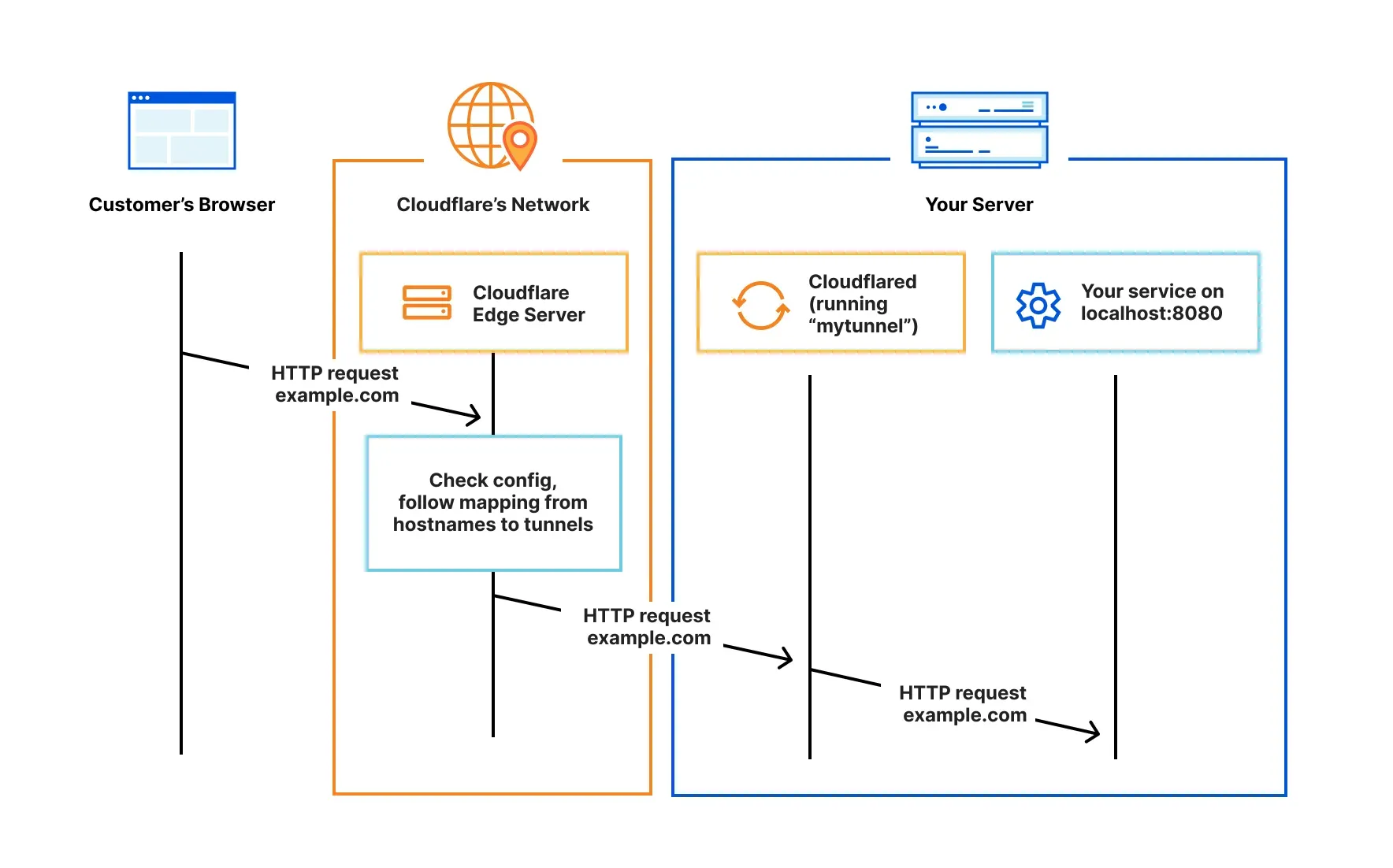
Is a service provided by Cloudflare, is great for setting on a server you can, and free of routing configuration you can access to your service from everywhere. But for this case ZeroTrust is more interesting We can set a virtual private network and register the router as route to our local network.
But, what happens if why install the cloudflared client on our router, maybe we can route to any host on our localnetwork using zerotrust. Yes, but:

Maybe not this time. We hit the 16MB wall pretty fast, right?
Zerotier
Zerotier offers a similar option, and the main advantage of Zerotier is that is free to an extend and for this time the package size for this case.
Conclusion
As my first experience setting a custom firmware in a router, it was mind-blowing to me that I can install almost anything to an off-the-shelf consumer router (if you have the flash for it). Apart from that, there are many options to set up a virtual private network through the router. Even though I only tried two, there are many other popular ones, such as Tailscale. I wouldn't recommend buying the same hardware if it has more than VLAN ambitions on the setup, as the flash is very limited, but for everything else, it is a great router.